Can You Bring a Jackery on a Plane?
The answer is the same for every Explorer model, and it is not an airline policy you can argue with — it is a watt-hour threshold in federal hazardous-materials rules.
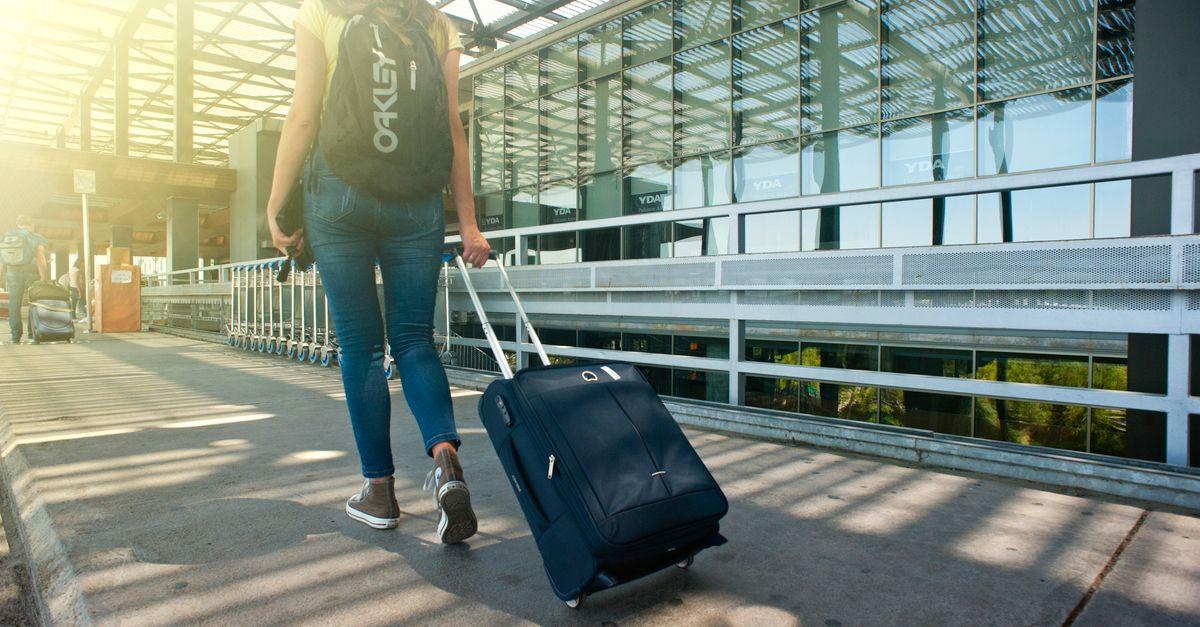
The short answer
No. Every Jackery Explorer power station is far above the watt-hour limits that let a lithium battery fly, in the cabin or the hold. The FAA's thresholds are 100Wh for a spare lithium battery in carry-on without approval, up to 160Wh with the airline's specific approval, and nothing above 160Wh in either carry-on or checked baggage. The smallest Jackery Explorer in this site's registry is the Explorer 300 at 293Wh — nearly double the 160Wh ceiling — and the Explorer 1000 v2 is 1,070Wh, about six and a half times it. There is no model, no airline and no packing method that gets a power station onto a passenger flight.
At a glance
Quick picks
Tap any row to jump to the full write-up. Weight is a column here because it is the spec that decides whether you actually carry the thing.
| # | Product | Best for | Capacity · Weight | Price |
|---|---|---|---|---|
| 1 |  Anker SOLIX C300 | Best for the road trip instead | 288Wh 9.1 lb | Check price on Amazon |
| 2 | 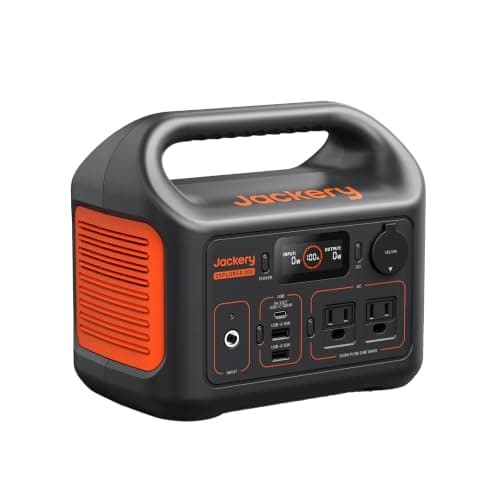 Jackery Explorer 300 | The smallest Jackery, and still not flyable | 293Wh 7.1 lb | $289.00 · View on Amazon |
| 3 | 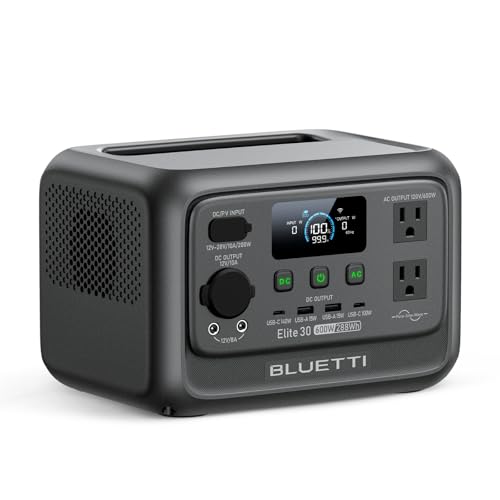 BLUETTI Elite 30 V2 | Best small unit to leave at the destination | 288Wh 9.5 lb | $289.99 · View on Amazon |
This question gets asked by brand because that is how people think about the product, and the answer has nothing to do with the brand. The rule is a watt-hour threshold set out in US hazardous-materials regulation and mirrored by airlines worldwide; Jackery, EcoFlow, Anker and BLUETTI are all equally affected.
The three thresholds, and where a Jackery sits
| Watt-hours | Carry-on | Checked | Example |
|---|---|---|---|
| Up to 100Wh | Yes, no approval needed | In a device only, not as a spare | Laptop and phone batteries, small USB power banks |
| 100Wh to 160Wh | Yes, with airline approval; usually two spares | No | Large camera and pro video batteries |
| Above 160Wh | No | No | Every portable power station |
| 293Wh | No | No | Jackery Explorer 300 — 83% over the ceiling |
| 1,070Wh | No | No | Jackery Explorer 1000 v2 — 569% over the ceiling |
Two details in that table catch people out. First, the 100-160Wh band needs the airline's approval, not the airport's or the TSA's, and it has to be arranged before you travel rather than negotiated at the gate. Second, a battery above 100Wh is never allowed in checked baggage even if it is inside a device — which is why 'I'll just check it' is not a workaround.
How to find your own model's watt-hours
Do not guess from the model number, because the naming across this category is inconsistent — some numbers refer to watt-hours, some to the inverter's watts, and some to neither. Three reliable places to look:
- The label on the unit itself. Power stations carry a rating plate, usually on the base or the back, that states the capacity in Wh and often in both Wh and the cell voltage and amp-hours.
- The manual or the manufacturer's specification page. The figure will be stated as a capacity in Wh — 293Wh and 1,070Wh for the two Jackery models here, read from Jackery's own pages.
- Work it out from Ah and volts if that is all you have. Watt-hours = amp-hours x volts. How many watt-hours in an amp-hour walks through it, and watt-hours explained is the longer version.
Whatever number you get, compare it against 100 and 160. There is no fourth band and no discretion above 160Wh.
What does fly
The product class that travels is a USB power bank under 100Wh, which is a different thing from a power station: no AC outlets, no inverter, and capacity measured in tens of watt-hours rather than hundreds. Jackery and every other brand here sell them, and the ones under 100Wh go in your carry-on with no paperwork.
- Check the Wh printed on the bank, not the mAh on the box. A 20,000mAh bank at 3.7V is 74Wh and flies; the same figure at a different cell voltage can read differently. How many watt-hours is 20000mAh does that conversion properly, and it is the single most misunderstood number in this whole category.
- Keep it in your carry-on, not your checked bag. Spare lithium batteries of any size belong in the cabin, where a fault can be seen and dealt with.
- Protect the terminals. Original packaging, a case, or tape over the contacts — airlines ask for this and it is sensible regardless.
- A power bank will not run an appliance. It charges phones, tablets, headphones and some laptops over USB-C. If you need AC output at the destination, you are buying or renting there.
The realistic plans for a trip that involves flying
- Buy at the destination, or rent. For a long trip this is often cheaper than it sounds and it removes the problem entirely.
- Leave a unit where you keep going back. A cabin, a relative's garage, a boat. A small LiFePO4 unit stored at 50-60% charge survives long gaps well — how long does a power station hold its charge covers how to leave one safely.
- Ship it ahead, carefully. Lithium batteries above 100Wh are regulated in ground freight too, with labelling and packaging requirements, and most carriers restrict them. Check the carrier's lithium-battery rules before you book anything, and expect ground rather than air service.
- Take a sub-100Wh power bank for the flight and the first day, then solve AC power locally.
For the full version of the regulatory picture, including the checked-baggage rules and the reasoning behind the thresholds, can you bring a power station on a plane is the detailed page. This one exists because people search by brand, and the brand-level answer deserves to be as clear as the general one.
The picks in full
1. Best for the road trip instead
Anker SOLIX C300
- 288Wh
- LFP (LiFePO4)
- 300W continuous / 600W surge
- 9.1 lb
- 100W
- 80% in 50 min
- 5 years
Since the battery cannot fly, the practical question becomes what to buy for the trips you drive — and 288Wh in a 9.1 lb box is the answer that travels easiest. Anker publishes 300W continuous with a 600W SurgePad, a 10 ms UPS switchover, 25dB at 3.3 ft, four USB-C ports up to 140W and a 5-year warranty.
The specification that makes it travel equipment is the recharge: 80% in 50 minutes. A lunch stop refills most of it, which means the battery stops being something you plan around.
Anker publishes no cycle-life rating, no dimensions and no AC outlet count for this model. 100W of maximum solar input is the lowest in the registry, and 300W continuous rules out anything that heats.
Reasons to buy
- 9.1 lb — the easiest unit here to travel with
- 80% recharge in 50 minutes
- Four USB-C ports up to 140W
- 10 ms UPS switchover
- 5-year warranty
Reasons to avoid
- Still far too large to fly with
- 300W continuous
- No cycle-life rating published
- 100W maximum solar input
Buy it if: road trips, where a battery is allowed to come.
Skip it if: you needed something you could fly with.
2. The smallest Jackery, and still not flyable
Jackery Explorer 300
- 293Wh
- Lithium-ion (Jackery does not publish the cell type)
- 300W continuous / 500W surge
- 7.1 lb
- 500 cycles to 80%+ capacity
- About 2.5 hr full, using the 90W wall charger and a 60W USB-C PD charger together
- 2 years
293Wh is the smallest Explorer capacity in this site's registry and it is instructive precisely because it is small: at 293Wh it is still 83% above the 160Wh absolute ceiling for any lithium battery in passenger baggage. If the smallest one does not qualify, none of them do.
Jackery publishes 300W continuous with a 500W peak, two AC outlets, a 60W USB-C input/output port, 500 cycles to 80%+ capacity, a 2-year warranty, 7.1 lb and a full recharge of about 2.5 hours using the 90W wall charger alongside a 60W USB-C charger. At 7.1 lb it is the lightest unit with real AC outlets in the registry.
Jackery does not publish a cell chemistry, a maximum solar input or dimensions for this model, and 500 cycles is a much shorter rating than the 3,000-4,000 the LiFePO4 units here publish. Our Jackery Explorer 300 review covers all of that.
Reasons to buy
- 7.1 lb — the lightest unit here with AC outlets
- 293Wh and 300W continuous
- USB-C PD 60W input and output
- Two AC outlets
Reasons to avoid
- Cannot fly — 293Wh is 83% over the limit
- 500 cycles to 80%, far below the LiFePO4 units
- No chemistry, solar input or dimensions published
- 2-year warranty
Buy it if: the lightest Jackery for a drive, not a flight.
Skip it if: you want modern LiFePO4 cycle life.
3. Best small unit to leave at the destination
BLUETTI Elite 30 V2
- 288Wh
- LiFePO4 (automotive-grade)
- 600W continuous / 1,500W surge
- 9.5 lb
- 200W
- Over 3,000 cycles; 10-year lifespan
- Full in 70 min
- 5 years
If you travel to the same place repeatedly — a cabin, a family house, a rented van — the sensible move is a small unit that lives there rather than one you try to carry. 288Wh with 600W continuous and a 1,500W surge from 9.5 lb does far more than its capacity suggests.
BLUETTI publishes a 70-minute full recharge, a UPS switchover of 10 ms or less, 200W of solar input, nine output ports including USB-C PD 3.1 up to 140W, over 3,000 cycles with a stated 10-year lifespan and a 5-year warranty.
BLUETTI publishes no dimensions, no AC outlet count and no cycle-retention threshold for this model, and it does not expand. 288Wh is electronics only.
Reasons to buy
- 600W continuous, 1,500W surge from 288Wh
- 9.5 lb; full recharge in 70 minutes
- 10 ms or less switchover
- Over 3,000 cycles; 5-year warranty
Reasons to avoid
- Cannot fly, like every unit here
- No dimensions or outlet count published
- Not expandable
- 200W solar input
Buy it if: a unit that lives at the destination you keep returning to.
Skip it if: the destination changes every trip.
Questions