Using a Power Station as a UPS for Your Wifi and Router
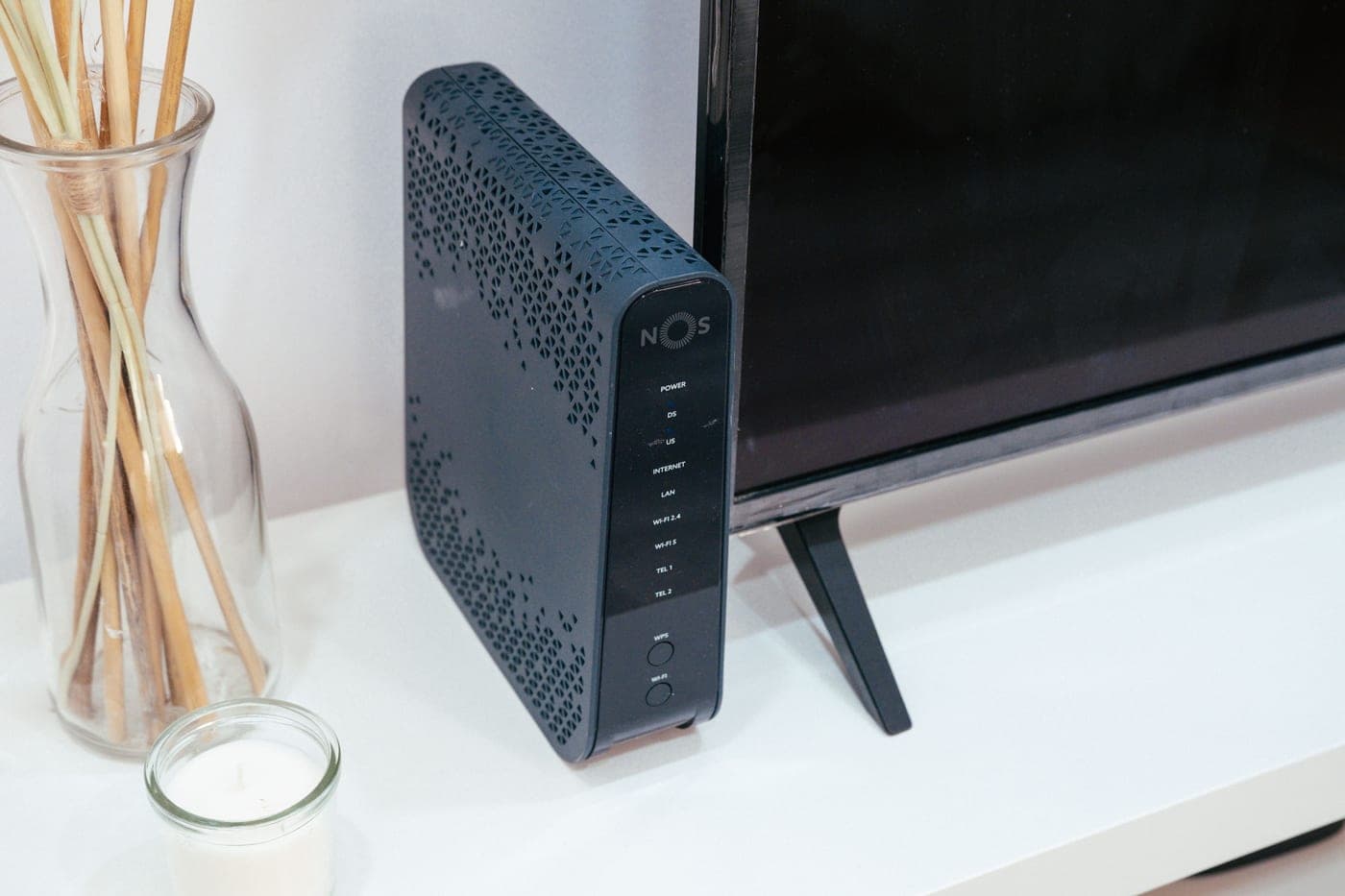
A router draws about 20W. A power station holds fifty times what a desktop UPS does. The maths here is not close.
At a glance
Quick picks
Tap any row to jump to the full write-up. Weight is a column here because it is the spec that decides whether you actually carry the thing.
| # | Product | Best for | Capacity · Weight | Price |
|---|---|---|---|---|
| 1 |  BLUETTI AC180 BLUETTI AC180 | Best as a permanent home UPS | 1,152Wh 35.27 lb | Check price |
| 2 |  Anker SOLIX C1000 Gen 2 Anker SOLIX C1000 Gen 2 | Fastest switchover | 1,024Wh 24.9 lb | Check price |
| 3 |  EcoFlow RIVER 3 Plus EcoFlow RIVER 3 Plus | Cheapest way to keep the internet up | 286Wh 10.4 lb | Check price |
The verdict: for keeping internet running through an outage, a power station beats a dedicated UPS decisively on runtime and loses slightly on switchover speed and price-per-unit. For protecting a desktop computer from a hard shutdown, a proper UPS is still the right tool.
The runtime difference is not marginal
A modem and router together draw roughly 20W. A typical consumer desktop UPS holds somewhere in the region of 300-800VA, which translates to maybe 20-40Wh of usable energy after its own conversion overhead. That is enough to survive a flicker and shut a computer down gracefully — which is what a UPS is designed to do.
The comparison, honestly
| Desktop UPS | Power station | |
|---|---|---|
| Runtime on a 20W router | 1-2 hours | 12-85 hours depending on capacity |
| Switchover time | 2-10 ms typical | 10-20 ms on the units here |
| Cost | Lower | Higher |
| Runs other things | Barely | Yes — fridge, lamps, laptop |
| Portable | No | Yes |
| Battery chemistry | Usually sealed lead-acid | LiFePO4, 3,000-4,000 cycles |
| Battery replacement | Every 3-5 years, typically | Rated for a decade or more |
| Automatic OS shutdown | Yes, via USB | No |
| Line conditioning / AVR | Common | Not usually |
Where the UPS still wins
Automatic shutdown signaling. A real UPS connects over USB and tells the computer to save and shut down cleanly when the battery gets low. A power station does not, so a desktop on one will simply die when the battery empties — later than it would have on a UPS, but just as abruptly.
Switchover speed at the margin. The units here publish 10-20 ms, which is fast enough for a router, a modem, a NAS or a games console. A desktop power supply with a marginal hold-up time might, in principle, notice a 20 ms gap. In practice most modern PSUs tolerate it, but a dedicated UPS at 2-5 ms has more margin.
Voltage regulation. Many UPSs include automatic voltage regulation that corrects sags and surges without switching to battery at all. Power stations generally pass line power through rather than conditioning it.
Price. A small UPS is cheap. A power station costs several times as much — though it also does several other things, which is rather the point.
How to actually set it up
- Plug the power station into the wall and leave it there. Pass-through charging keeps it full while the grid is up, and LiFePO4 tolerates sitting at full charge without meaningful harm.
- Plug the modem and router into the power station's AC outlets, not the wall.
- Add anything else you want protected — a NAS, a desk lamp, a phone charging hub. A 20W router leaves enormous headroom.
- Check the display occasionally. A backup device you never look at is a backup device at 40% when you need it.
- Keep it somewhere cool. Heat is what ages the cells; a cupboard beats a sunny windowsill.
The case for doing both
They are not mutually exclusive, and the combination is genuinely good: a small UPS on the desktop computer for clean automatic shutdown and line conditioning, and a power station on the networking gear for multi-day runtime. That way the computer never corrupts a file and the internet never goes down, which are two different problems with two different right answers.
If you are buying one thing and the priority is staying online through an outage, buy the power station — it also covers the fridge, the phones and the lamps, which a UPS never will. The home backup roundup ranks the options.
The picks in full
1. Best as a permanent home UPS
BLUETTI AC180
- 1,152Wh
- LiFePO4
- 1,800W continuous / 2,700W surge
- 35.27 lb
- 500W
- 3,500+ cycles to 80% original capacity
- 1.3-1.8 hr full (1,440W max AC input)
- 5 years
20 ms switchover, four AC outlets and the largest battery in its class at 1,152Wh make this the best shape for a unit that lives plugged in behind a desk permanently. A 20W router runs for roughly two days on it.
Four outlets matters here more than almost anywhere else, because a home-office UPS setup is rarely one device: modem, router, a NAS, a desk lamp, a charging hub. Doing that without a strip is cleaner and means fewer things to unplug when you want to take the unit somewhere.
3,500+ cycles to 80% and a 5-year warranty make permanent inline use sensible rather than wasteful, and 1,800W of output means that when an outage does happen, the same unit can go and run the fridge for a few hours.
Reasons to buy
- 1,152Wh — about two days of a 20W router
- 20 ms UPS switchover
- Four AC outlets plus a 12V socket and wireless pad
- 3,500+ cycles to 80%; 5-year warranty
- 1,800W output means it doubles as outage backup
Reasons to avoid
- No automatic shutdown signaling for a desktop computer
- No line conditioning or AVR
- 35.27 lb if you ever want to move it
- Inverter idle draw runs 24/7 in this role
Buy it if: a permanent home-office installation where staying online matters.
Skip it if: you need clean automatic shutdown on a desktop. Add a small UPS for that.
2. Fastest switchover
Anker SOLIX C1000 Gen 2
- 1,024Wh
- LiFePO4 (InfiniPower LFP)
- 2,000W continuous / 3,000W surge
- 24.9 lb
- 600W
- 80% capacity after 4,000 cycles
- Full in 49 min (UltraFast, 1,600W max input)
- 5 years
10 ms is the fastest published switchover of the units we cover, and it is the one to choose if you have something inline that you are worried about — a desktop with an older power supply, a network switch that reboots on a flicker, an aquarium controller.
1,024Wh runs a 20W router for roughly 42 hours, and 2,000W of output means it can pivot to running a microwave or a fridge when the outage turns out to be serious. The 49-minute recharge means it recovers from an event almost immediately.
Two AC outlets is the drawback for a desk setup with several devices, and there is still no shutdown signaling — the fast switchover reduces the chance of an ungraceful event, it does not eliminate the possibility of an ungraceful ending.
Reasons to buy
- 10 ms switchover — the fastest here
- 1,024Wh, roughly 42 hours of a 20W router
- 2,000W output for when the outage gets serious
- 49-minute full recharge
- 80% after 4,000 cycles; 5-year warranty
Reasons to avoid
- Two AC outlets for a multi-device desk
- No automatic shutdown signaling
- Not expandable
- No line conditioning
Buy it if: something sensitive is inline and switchover margin is the concern.
Skip it if: you have four things to plug in. Outlets will be the daily annoyance.
3. Cheapest way to keep the internet up
EcoFlow RIVER 3 Plus
- 286Wh
- LiFePO4
- 600W continuous / 1,200W surge
- 10.4 lb
- 220W
- 3,000 cycles to 80% capacity
- 0-100% in 60 min
- Not published on the US product page
If the only goal is that the wifi does not go down, 286Wh is about twelve hours of a 20W router — which covers the overwhelming majority of real outages, most of which last under an hour.
At 10.4 lb it is also small enough to sit on a shelf behind the equipment rather than occupying floor space, and it costs a fraction of the larger units. Expansion to 858Wh takes it to roughly a day and a half if you decide you want more.
EcoFlow does not publish a switchover figure or a warranty term for this model on its US product page, both of which are worth confirming with the retailer before relying on it as an always-inline device.
Reasons to buy
- About 12 hours of a 20W router — covers most real outages
- 10.4 lb, shelf-sized rather than floor-sized
- Expands to 858Wh if you want more
- 60-minute recharge
- 3,000 cycles to 80% LiFePO4
Reasons to avoid
- EcoFlow's US page publishes no warranty term
- No published switchover figure for this model
- 286Wh will not also run a fridge in a long outage
- 600W output limits what else it can pivot to
Buy it if: the internet staying up is the whole requirement and budget matters.
Skip it if: you want one unit that covers the internet AND the fridge.
Questions